Rules engine
The Rules engine allows to extend business functionality where the normal configuration via administration mask ends. It provides code snippets which can be executed in critical core functionalities to steer the behavior of the business application. They are based on the DRL (Drools Rules Language) standard, a future-proof and well-documented technology for defining business rules. A wealth of literature and tutorial videos will help you explore the possibilities for designing your rules.
This page shows how to maintain and manage your different rule engine snippets. For learning how to use and how to write snippets read the documentation Rules Engine API
In the rules engine administration you can list all rules snippets and edit them or create new snippets and describe them.
The rules list view
The list view provides you with an overview over all currently registered rules snippets. You can use the table headers to define filters or to change the column width and order. Pressing the column chooser icon will give the possibility to add additional columns, e.g. about the change history.

Overview registered rules snippets
Create / Edit rules snippets
Press the create or edit button. In the upcoming edit mask fill the relevant properties
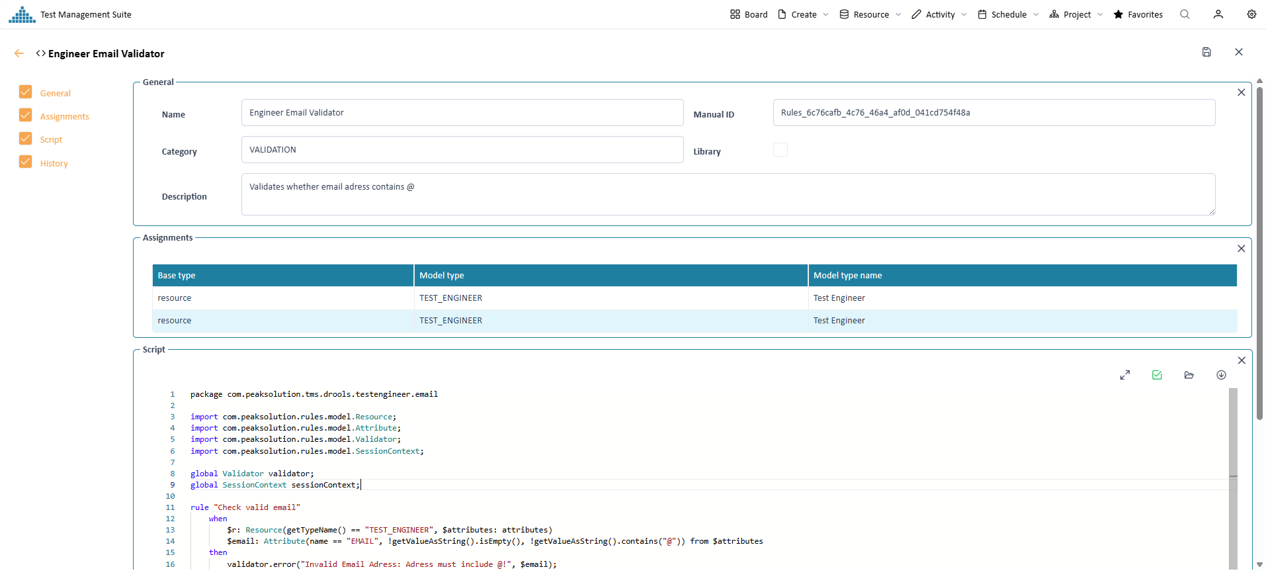
Input mask to define the rules properties
Assignment to resources, activities, projects or value lists
The section "Assignments" shows to which resources, activities and projects the code snippet is assigned to for execution. If the snippet is not assigned to any of these entities, it will not be executed. Here you can add or remove assignments.

A specific rule is assignent to the resource type Engineer
If a rule or a function shall be part of every execution, it is recommended to define it as a library. In this case no assignment to resources, activities or project is necessary. They are automatically assigned for execution.
Rules properties
A rule snippet contains the following information
Name Manual Id Category Library Description Assignments Script The rules editor
The rules editor is a text editor for DRL files which use the PeakTMS Rules API. It provides the following functionalities
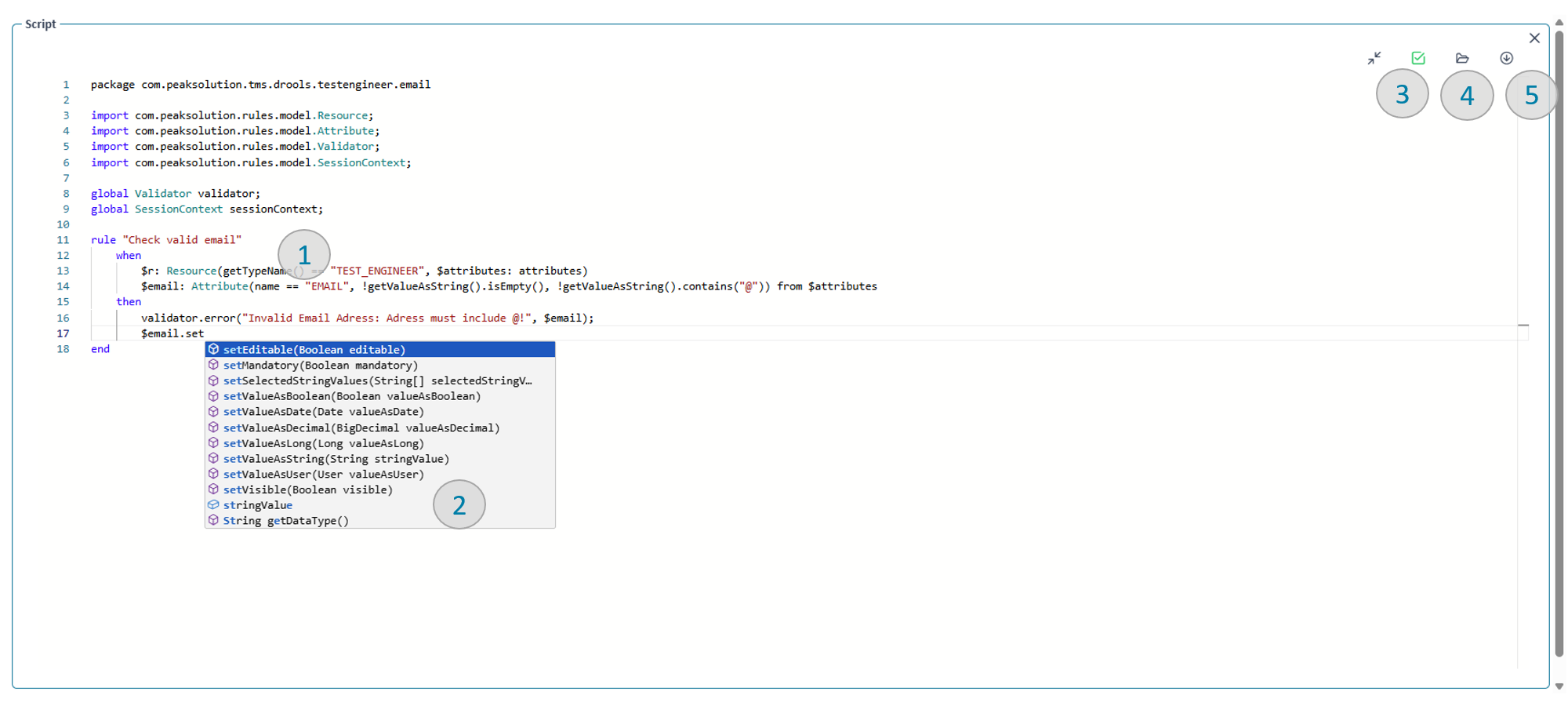
Code editor for DRL files
Syntax highlighting (1)
The Drools rule language keywords are highlighted to allow for more orientation when reading the code.
Autocomplete and context-sensitive auto suggestions (2)
DRL keywords and declared variables are autocompleted for convenient editing. Depending on where in a rule you are the system will provide you with templates or available API methods you can use.
Validate / compile the code snippets (3)
Clicking the validate button to check whether your written rule is valid and compiles. Only rules with valid code can finally be saved.
Open external DRL file (4)
You can open existing .drl files from your system and upload it into PeakTMS for validation and later execution.
Download rules file (5)
The snippet can be downloaded as .drl file for further editing or exchange. The download will contain the exact tact of what is currently the content of the code editor.