Getting Started
Peak Test Management Suite (PeakTMS) in a nutshell
Peak Test Management Suite (PeakTMS) allows to model resources, activities and projects and combine them to live the standard processes.
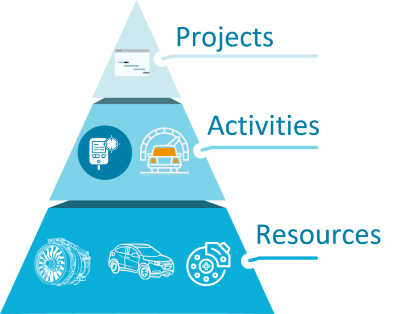
Therefore, it provides many components for the customization of the specific business process to provide the user with the appropriate input masks, management and planning tools to live the organisational process. In addition, it provides API developing tools for integrating the software into the organisational IT landscape and to fine tune specific process details.
Main business objects
Following TMS objects are used to model a test process:
Resource
A resource is a physical object which can be used in activities. Typical examples are a test sample, a test engineer, a piece of test equipment.
Activity
An activity describes any activity which can take place in a test centre. Typical examples for activities are tests, calibrations, maintenance, assembling and other. To conduct an activity, it might be necessary to assign resources. E.g., a test might need to have some test samples, a test bench or an engineer assigned.
Activity series
A series of activities describes a collection of activities. E.g., a test series with some test samples might include several test steps in which the samples undergo different treatments. The planning of those test steps is made based on their position in the test series.
Project
A project is summarizing the information about a goal which has to be achieved in a certain time. It contains a set of activities and series of activities to reach that goal.
Components for the user
In following the main components used by PeakTMS standard users.