Data pools
PeakTMS is providing teams with the functionality to specify data pools. Data pools are the base for the PeakTMS permission concept of operational data. All operational resources, activities and projects are assigned into a data pool. User group permissions than refer to them. Using the concept of data pools allows to model different processes, whereby they can be entirely separated from each other or overlay each other.
In the data pool administration you can list all data pools and edit them or create new data pools.
The data pools list view
The list view provides you with an overview over all currently registered data pools. You can use the table headers to define filters or to change the column width and order. Pressing the column chooser icon will give the possibility to add additional columns, e.g. about the change history.
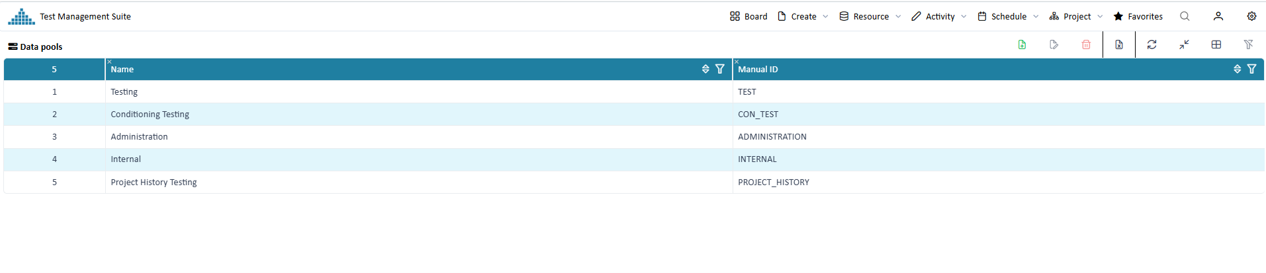
Overview registered data pools
Create / Edit a data pool
Press the create or edit button. In the upcoming edit mask fill the relevant properties
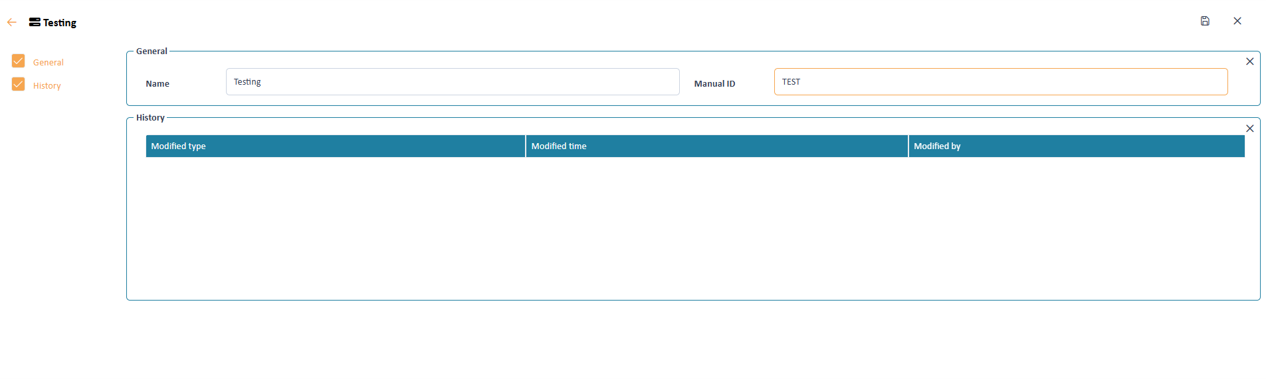
Input mask to define the data pool properties
Data pool properties
A data pool contains the following information
Name Manual Id