User
In the user administration you can list all users and edit them or create new PeakTMS users. You can specify and reset user passwords and define their rights in the PeakTMS model by assigning user groups.
The user list view
The list view provides you with an overview over all currently registered users. You can use the table headers to define filters or to change the column width and order. Pressing the column chooser icon will give the possibility to add additional columns, e.g. about the change history.
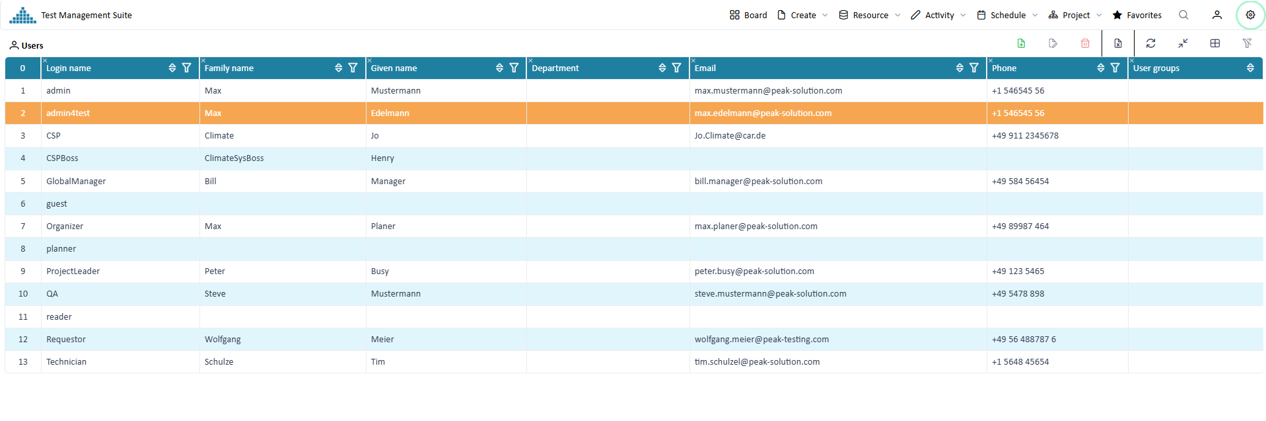
Overview registered users
Create / Edit a user
Press the create or edit button. In the upcoming edit mask fill the relevant properties
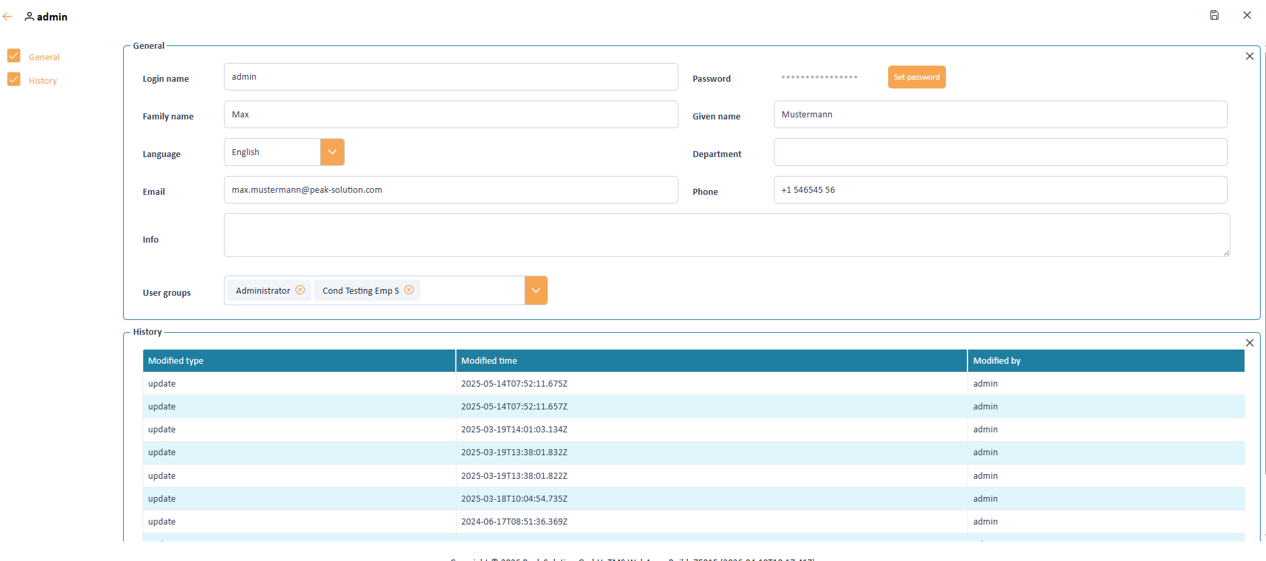
Input mask to define the user properties
User properties
A user contains the following information
Login name Password Email Phone Language Info User groups Reset user password
Start editing a user and press the "set password" button. The system will ask you to enter the password twice. After resetting the password save the changes in the user.