Maintenance windows
For conducting maintenance works on software or hardware, it is often necessary to temporarily disable access to the system. Maintenance windows allow you to define time periods during which the system will be unavailable for users. During these periods, users will be informed about the maintenance and will not be able to access the system. However, administrators will still have access to the system for maintenance purposes.
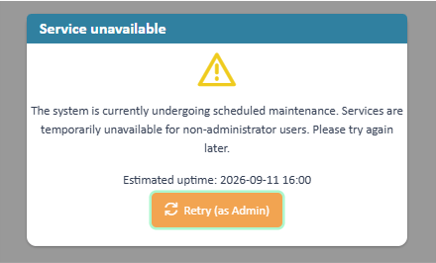
During maintenance the system is blocked to other users
Maintenance windows can be announced in advance, allowing users to plan their work accordingly. The announcement is visible in the title bar of the application.

Notification of upcoming maintenance
The list view
The list view provides you with an overview over all maintenance windows. You can use the table headers to define filters or to change the column width and order. Pressing the column chooser icon will give the possibility to add additional columns, e.g. about the change history.

Overview registered file storages
Create / Edit a maintenance window
Press the create or edit button. In the upcoming edit mask fill the relevant properties
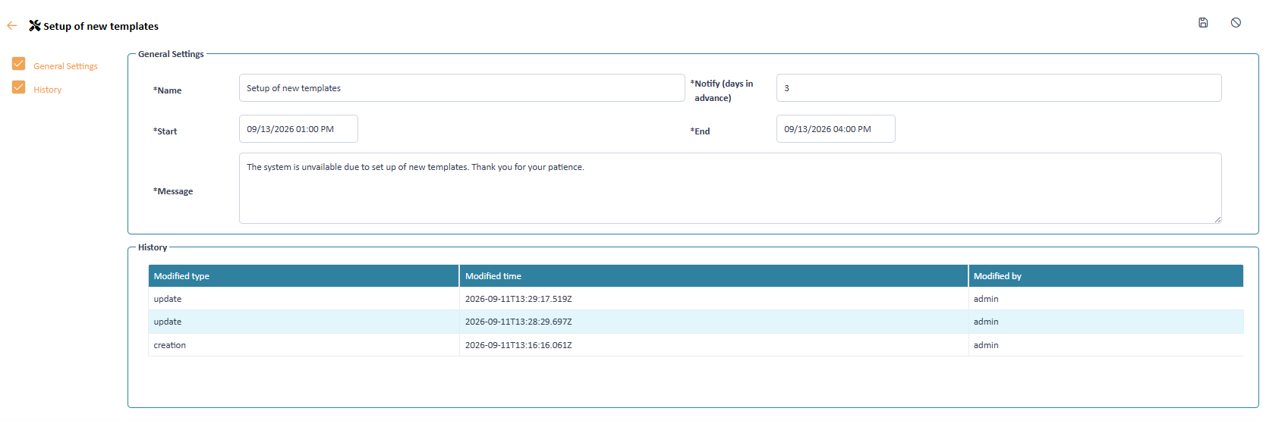
Declare a maintenance window
User properties
A user contains the following information
Name Notify (days in advance) Start End Message