Location
PeakTMS is providing teams with the functionality to specify locations. Defining locations provide organization with the following benefits:
- data can be structured following the geographical and organisational structure
- User groups permissions can be based on location leading to users which might have only permission on certain locations
- Resource assignment can be filtered and validated against locations
In the location administration you can list all locations and edit them or create new locations.
The locations list view
The list view provides you with an overview over all currently registered locations. You can use the table headers to define filters or to change the column width and order. Pressing the column chooser icon will give the possibility to add additional columns, e.g. about the change history.

Overview registered locations
Create / Edit a location
Press the create or edit button. In the upcoming edit mask fill the relevant properties
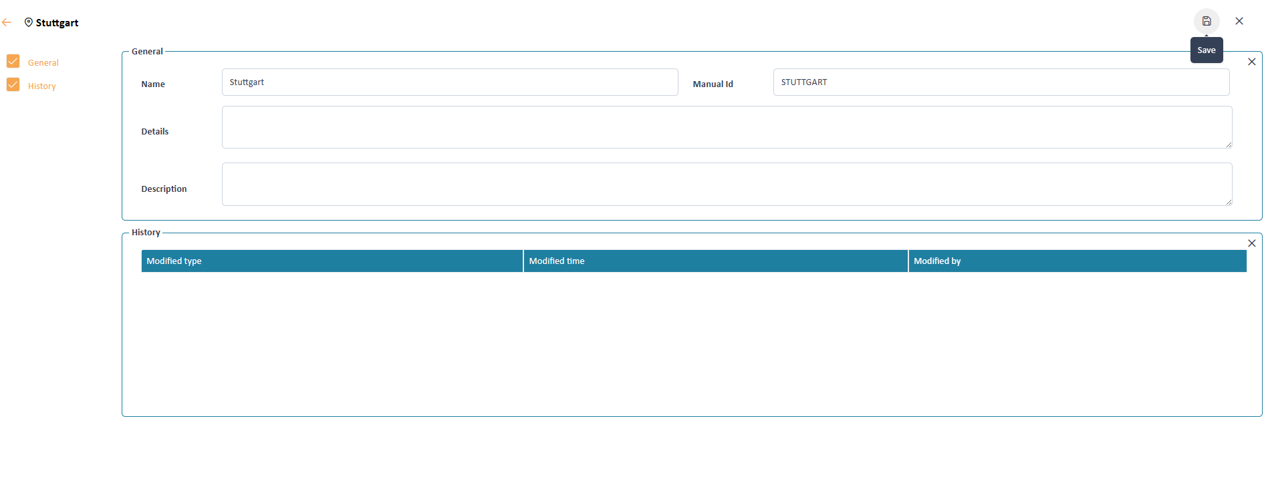
Input mask to define the location properties
Location properties
A location contains the following information
Name Defines the label of the location shown to the user in the application
Manual Id A clear technical name is specified, which should not be changed later. It is uses to address a location in other technical modules like
reports, email content, tms rules, rest api
Details Can be freely used for any purpose
Description Can be freely used for any purpose