Rules engine
TMS provides customers with a generic approach to model its test processes. Different business entities al-low to the administrator to create resources, activities, activity series and projects, all with their specific customizable fields.
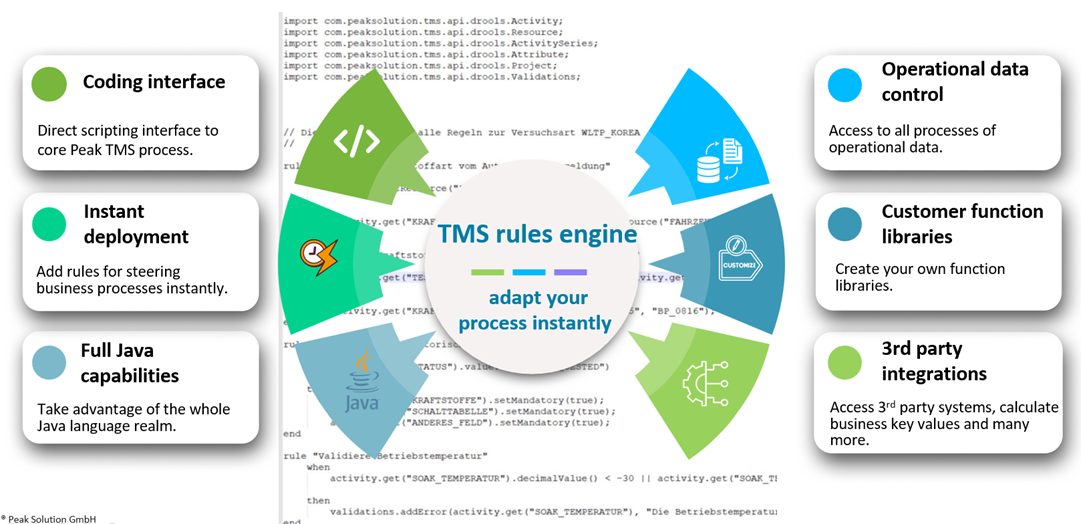
Rules API for instant process integration
Drools - base technology of the PeakTMS Rules engine

drools.org
To provide the business administrator / external developer the highest degree of flexibility in adding logic to the created model, TMS allows to define the business rules generically based on a rules language. Goals of the integration of the rules engine into TMS are
- Empowerment of the business experts onside (e.g. test lab key users) to make adjustments them-selves rather than triggering complex development processes
- Reduction of the deployment time for individual customer adaptions
- Reduction of complexity of the TMS administration
Thereby TMS is based on the Drools project, part of the KIE (Knowledge Is Everything) open-source community. In particular TMS allows to register external written rules scripts using DRL (Drools Rule Language), a specific script syntax to express rules. For more details on Drools, please also refer to the Drools online documentation. Here you will find a complete reference over the Drools – language and plenty of examples. https://www.drools.org/learn/documentation.html.
Integration of PeakTMS business objects
With the PeakTMS API provides the rules developer with API objects, representing the main business objects. They can be read and altered by the rules developer. After the execution of the rule sets, the altered model is given back into the TMS application and interpreted by TMS, which then generates a suitable UI or shows appropriate warning messages to the user. Depending on the context in which rules are registered, the rules developer can access a set of specific domain classes which are part of the overall TMS model. Currently, rules can be attached for execution at following places:
- Resource: Rules can steer the input mask behavior as well as the behavior in the save method
- Project: Rules can steer the input mask behavior as well as the behavior in the save method
- Activity: Rules can steer the input mask behavior as well as the behavior in the save method
- Activity Series: Rules can steer the input mask behavior as well as the behavior in the save method
The attached drools scripts are executed in those scopes either when
- Changes in an input mask are made (INPUT)
- The “save” operation is conducted (SAVE)
Through working on the “Save” event the defined rules are applied to any object which is saved in TMS, independent of its origin. Sending an object through the REST API will cause the same rules to trigger as if it is sent from UI.