PeakTDM FileFocus - Help -
Help file for PeakTDM FileFocus
🟧 Find and Inspect
Use PeakTDM Workplace to find and inspect your data.
In PeakTDM Workplace you can
- Search for Data
- Display Channel Data
- Explore Meta Data
- Navigate Data
💡 Hint 1: We suggest using the searching experience over navigation. Given the tree is reflecting the data different than your folder structure, searching is in most cases the more intuitive and faster way to find what you’re looking for.
💡 Hint 2: In PeakTDM Workplace click on »About»User Guide for more detailed help.
| Search Data | |
|---|---|
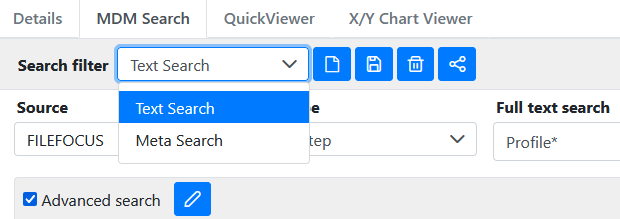 |
Use MDM Search to find files and data indexed by PeakTDM FileFocus. Use the Text Search for full-text searching. In Results right-click and select Add to chart viewer for time series data inspection; select Show in tree for meta data inspection and file download. Use Meta Search to find your files based on your data hirarchy. You can define your own query and result templates - click on »About»User Guide for more options. |
| Display Channel Data | |
|---|---|
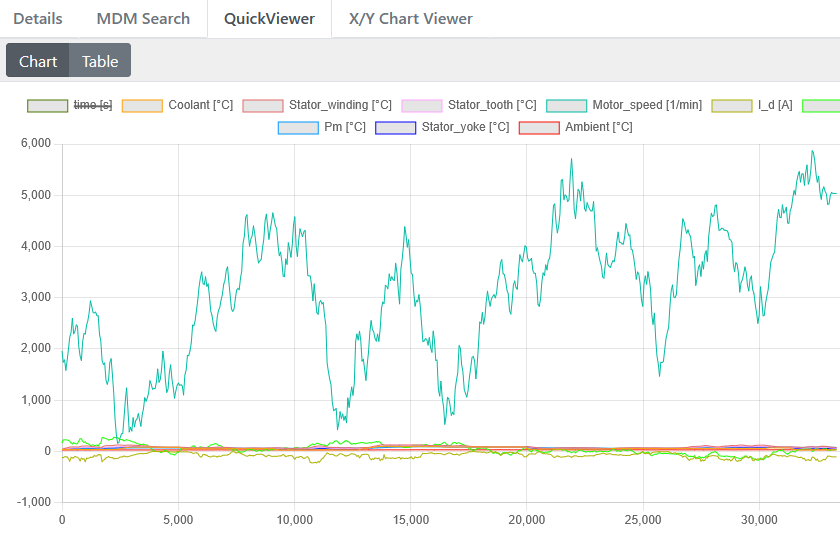 |
Use QuickViewer to display one or more channels. The data will be displayed over the index. When selecting a whole measurement deselecting the time channel or other non-important channels can be helpful in some situations (click on the channel name in the legend). |
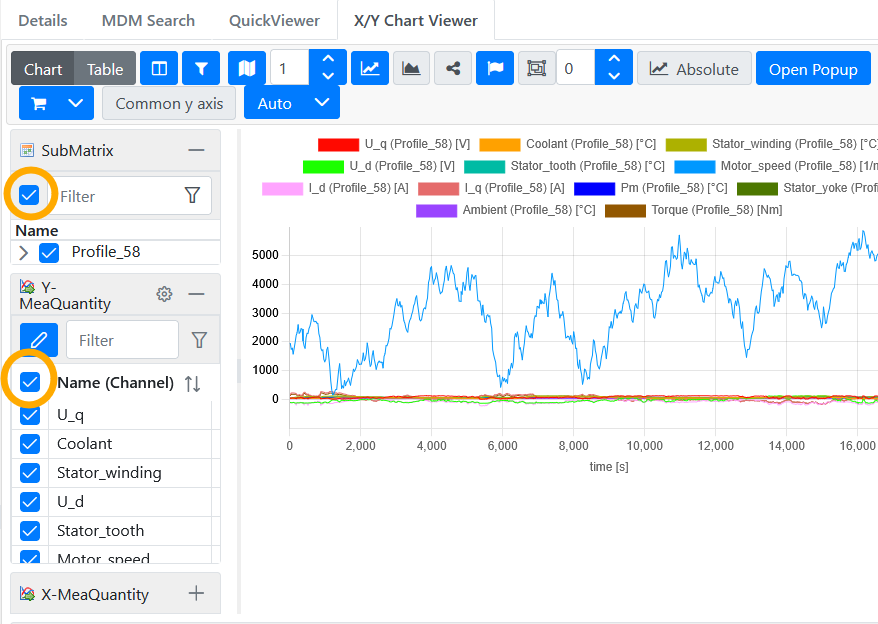 |
Use X/Y Chart Viewer to display one or more measurements or channels over time. Right click on a measurement and Add to chart viewer. The chart viewer gives you options to compare whole measurements or specific channels. ⚠️ Important: You have to select the individual itmes to be displayed (see orange circles). |
| Explore Meta Data | |
|---|---|
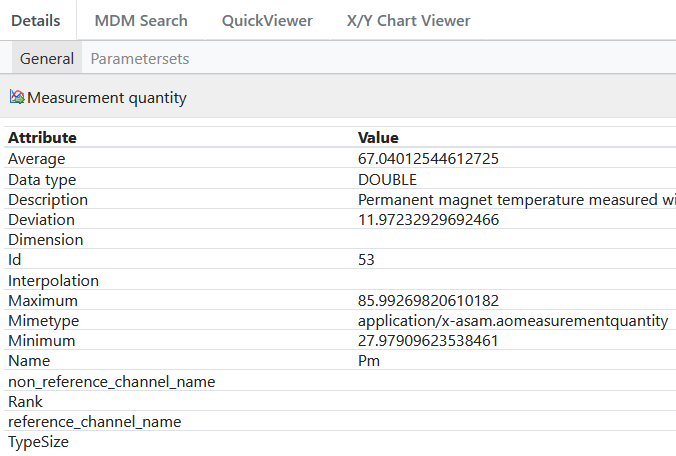 |
When selecting an item in the navigation tree, you can inspect the meta of that item. You can find in addition to the Name also details like Description or for data channels characteristics like Minimum, Maximum, Average and (standard) Deviation. At Parametersets you can find additional descriptive data on the Measurement level. |
| Navigate Data | |
|---|---|
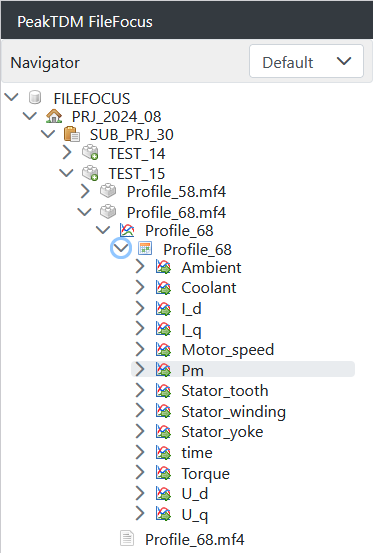 |
In the navigation tree you can browse your data files. However, your folder hierarchy structure is mapped onto the three data organization levels: Project, Subproject and Test. At the following Teststep level you will find your files. When opening the file, you can access the data stored inside the file - you’ve reached the Measurement level. Right-click on measurements and Add to chart viewer for data inspection. Right-click on the file to Download file. |